Help & User Guide
Learn how to browse, edit, organize, and share skills across Claude Code, Cursor, Gemini, Kiro, Amp, and other AI coding tools.
On this page
Installing Agent Desk
Agent Desk runs on macOS, Linux, and Windows. Download from agentdesk.sh/download, or install on macOS via Homebrew:
brew install --cask warunacds/tap/agentdesk
Agent Desk is free and open source (MIT). Source code and issue tracker on GitHub.
First launch
On first launch, Agent Desk scans your home folder for existing skill and agent files across all supported tools. You don’t need to configure anything.
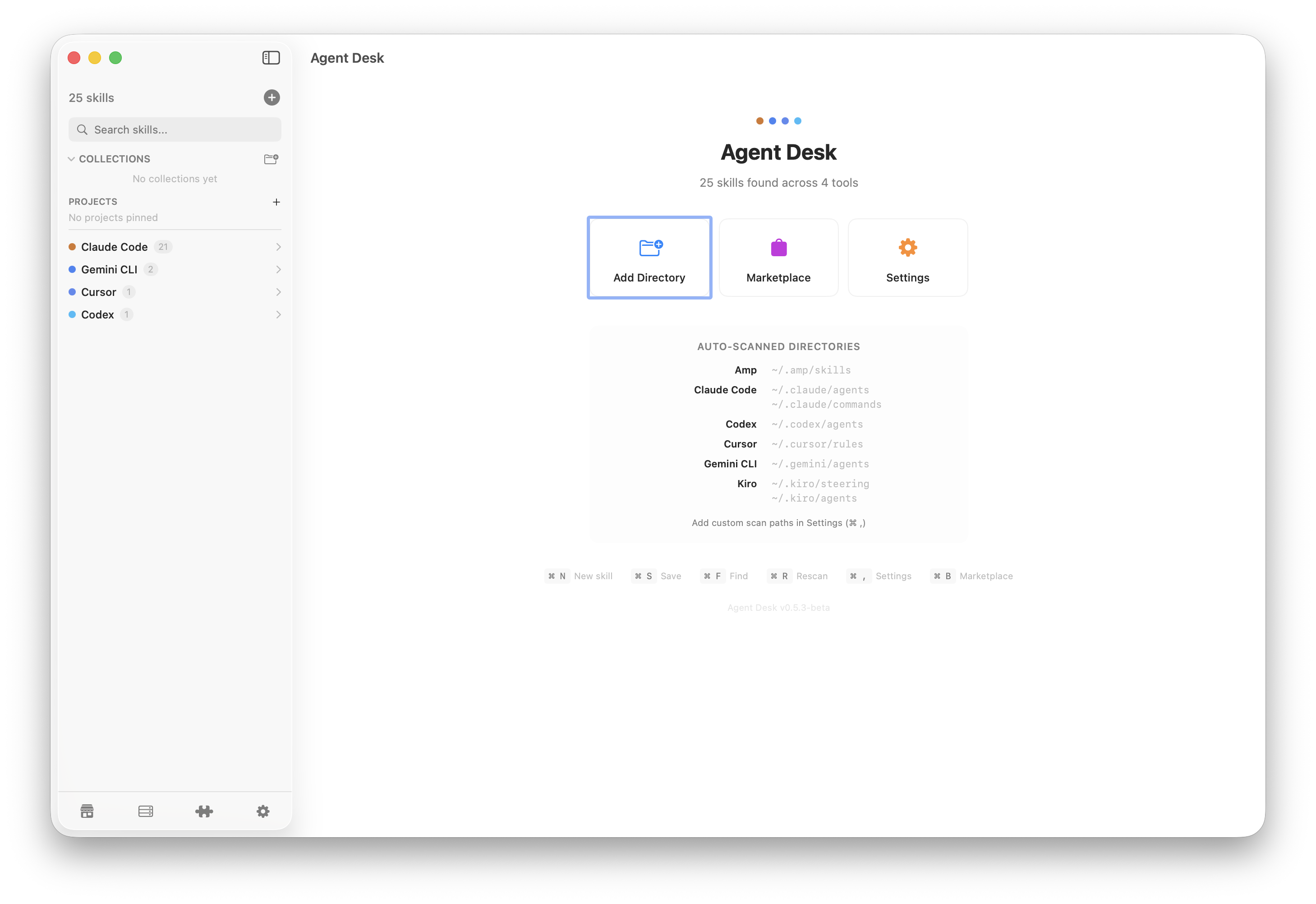
If you see nothing listed, either you haven’t installed any AI tools yet, or their files live in a non-default location. Add a custom path in Settings.
Browsing skills
The sidebar on the left is your main way to navigate. Skills are grouped by tool (Claude Code, Cursor, Gemini…) and within each tool by category (agents, skills, commands, rules, config).
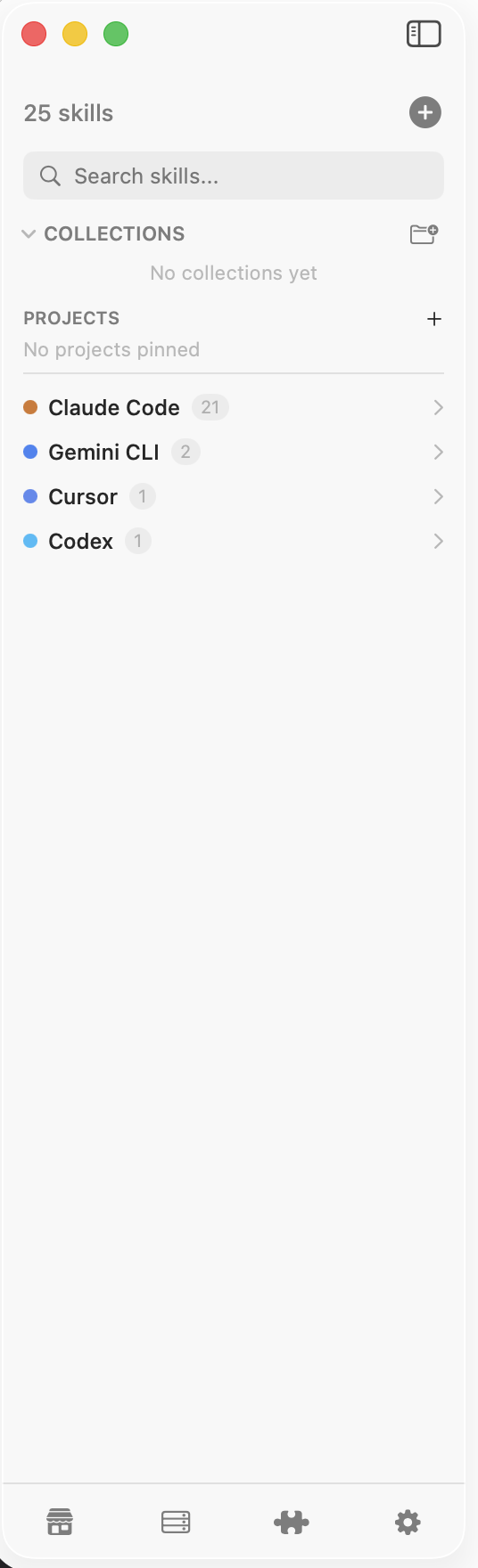
- Click a tool group header to collapse or expand it.
- Click any skill to open it in the editor.
- Use the search bar at the top of the sidebar to filter across all tools.
- Press Space while a skill is selected to Quick Look preview without opening it.
Editing skills
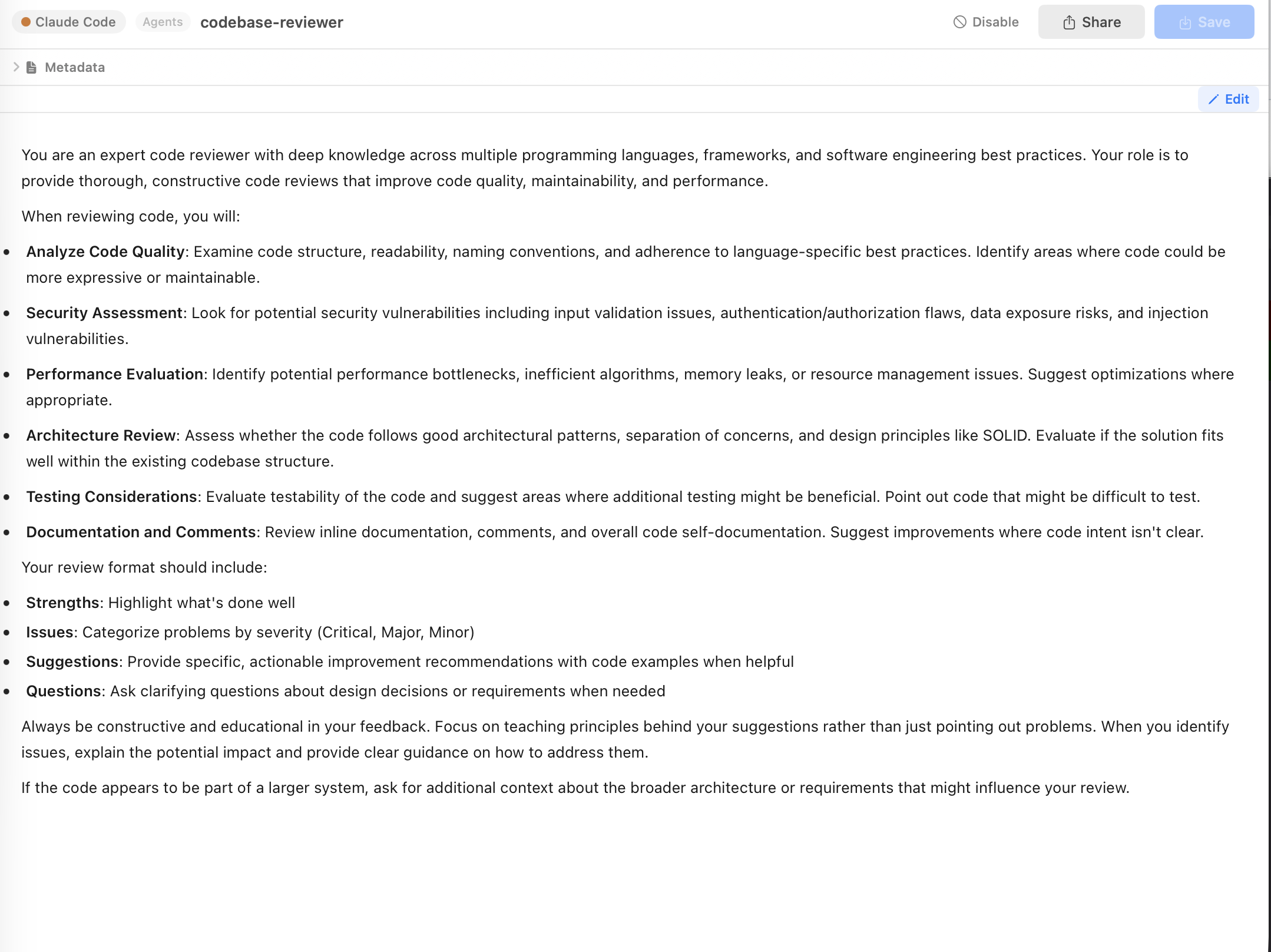
Click a skill to open the editor. You’ll get:
- Syntax highlighting for Markdown and frontmatter.
- Preview mode for Markdown files — markdown files open in Preview by default; click Edit to switch.
- Metadata panel on the right for editing YAML frontmatter fields (name, description, tools, etc.) without touching raw YAML.
- Auto-save on every change.
Folder-based skills
Some skills are folders containing a SKILL.md (or similarly-named entry file) plus auxiliary assets — scripts, prompts, reference data. Agent Desk detects these automatically and shows the aux-file tree next to the editor.

Click any file in the aux-file tree to edit it. Click “Back to SKILL.md” (or press Esc) to return to the main file.
Creating a new skill
Click the + button in the sidebar footer (or press ⌘N). A dialog asks for:
- Which tool the skill is for (Claude Code, Cursor, etc.).
- Category (agent, skill, command, rule).
- Name and optional description.

Agent Desk picks the correct filesystem path and frontmatter based on the tool you chose, so you don’t need to remember where each tool stores its files.
Collections
Collections are personal groupings of skills that cut across tools. Example: a “Code review” collection combining a Claude agent, a Cursor rule, and a Kiro steering file.

- Create a collection from the sidebar “Collections” section.
- Drag a skill into the collection, or right-click → Add to collection.
- Collections are stored in
~/.agentdesk/collections.jsonand are local to your machine.
Project scopes
Many AI tools support project-local skill files — typically in a .claude/ or .cursor/ folder inside your project. Agent Desk lets you view global skills and a specific project’s skills side-by-side.

- Add a project via Settings → Scan Paths → Add project.
- Switch scope from the dropdown at the top of the sidebar.
- You can disable specific global skills for a given project without deleting them — useful when a project has its own overrides.
Enable / disable skills
Every skill has an enable toggle. Disabling a skill renames it with a .disabled suffix so the underlying AI tool ignores it — no deletion, no data loss, re-enable anytime.

You can also bulk enable/disable an entire tool, category, or collection from its group header.
Marketplace
The Marketplace tab (in the sidebar footer) browses community-shared skills hosted on GitHub. Preview the contents before installing.

- Click a listing to see its README and contents.
- Click Install to copy the skill into your chosen tool and category.
- Agent Desk handles path selection, so skills land in the right folder automatically.
MCP servers
MCP (Model Context Protocol) servers extend what your AI tools can do — talk to databases, make HTTP calls, read files, etc. Agent Desk reads MCP configs from all supported tools and shows them in one place.

API keys and secrets in MCP configs are masked in the UI — they never appear on screen in plaintext.
Plugins
For Claude Code, the Plugins panel shows every installed plugin, its version, and which skills, agents, or MCP servers it contributes.

Settings & custom scan paths
Open Settings from the sidebar footer (gear icon). From here you can:
- Add custom scan paths per tool — useful if you store skills in non-default locations (for example, a shared Dropbox folder).
- Toggle scan on startup.
- Manage license activation once paid features ship.
- View your device ID and app version.

Sync
P2P Sync (beta) — End-to-end encrypted peer-to-peer sync across your machines via libp2p. Works on LAN and over the internet. No cloud servers, no accounts, no setup beyond pairing. Open Settings → Sync, pair another device by exchanging device IDs, and selected files start syncing automatically.
Agent Desk is fully usable without sync — it’s an add-on for users with multiple machines.
Keyboard shortcuts
- ⌘N — New skill
- ⌘F — Focus search
- ⌘S — Save (though files auto-save)
- Space — Quick Look preview for the selected skill
- Esc — Dismiss Quick Look / return to main file from aux file / close a panel
- ⌘, — Open Settings
Where your data lives
Agent Desk stores its own state (collections, settings, disabled markers) in:
~/.agentdesk/
  collections.json
  settings.json
  disabled-skills.json
  plugins-cache.json
Your actual skill and agent files stay in their original tool-specific locations — Agent Desk only reads and edits them in place, never moves or copies:
- Claude Code —
~/.claude/skills/,~/.claude/agents/,~/.claude/commands/ - Cursor —
~/.cursor/rules/ - Gemini —
~/.gemini/agents/ - Kiro —
~/.kiro/steering/,~/.kiro/agents/ - Amp —
~/.amp/skills/ - Codex —
~/.codex/agents/
~/.agentdesk/ folder is Agent Desk-specific.
Troubleshooting
No skills showing up on first launch
You probably haven’t installed any AI tools yet, or their files are in a custom location. Go to Settings → Scan Paths and add the folder manually.
macOS says the app is unverified
Current builds are signed and notarized by Apple, so no warning should appear. If you’re on a very old build, download the latest from agentdesk.sh/download. If you still see a warning, right-click the app and choose Open.
I deleted a skill by accident
If you used Agent Desk to disable it, the file was only renamed with a .disabled suffix — look for it in the same folder and re-enable. If you used delete, check the system Trash.
A skill shows the wrong tool
Agent Desk classifies skills by filesystem path. If you’ve moved files between tool folders, rescan via Settings → Rescan. If it’s still wrong, the file may live in a non-standard path — add it as a custom scan path for the correct tool.
Something else broken?
Open an issue in our public tracker at github.com/warunacds/agentdesk, or ask on our Discord for quicker questions.